Chrome · Edge · Brave · Arc · Free

Northern Lights Forecast on Your Chrome Toolbar

Live Kp index badge, 5-factor aurora visibility verdict, 18-hour tonight outlook, and desktop alerts for any city on Earth — in 32 languages with zero tracking.
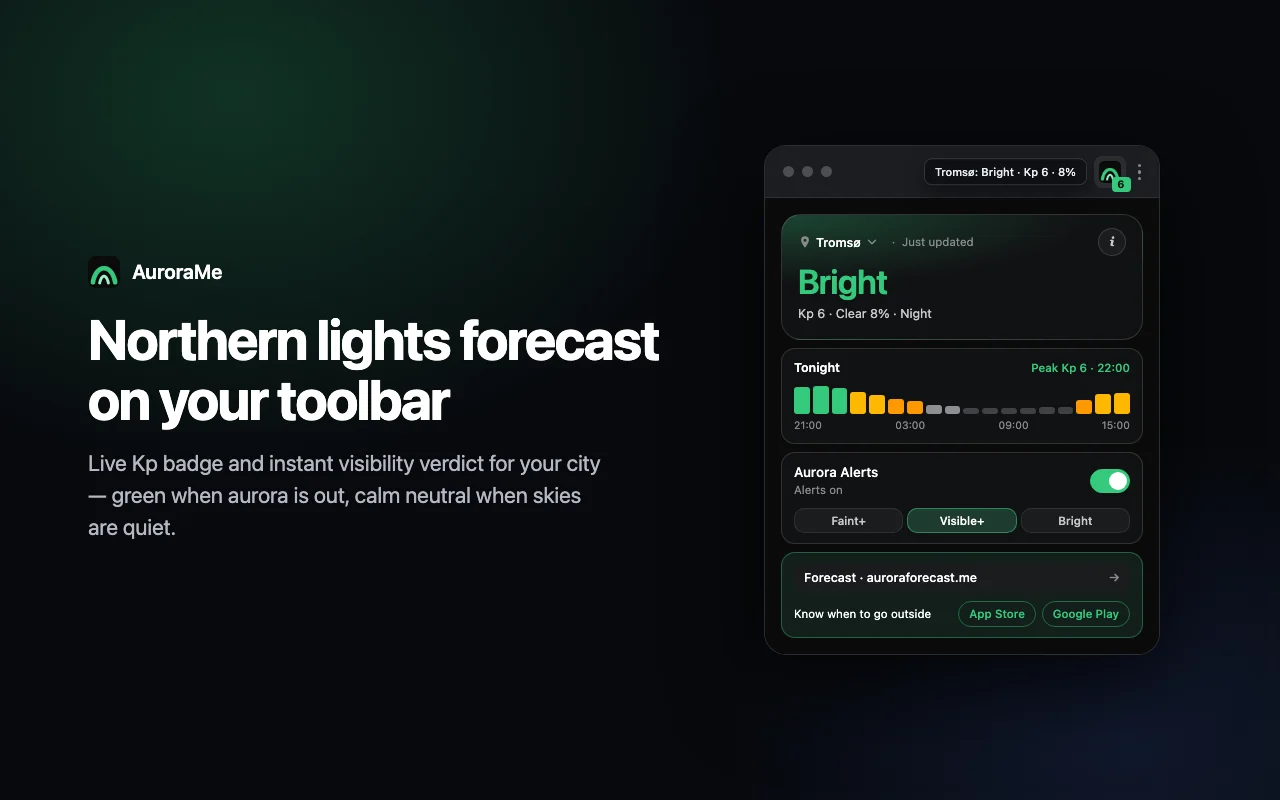
AuroraMe Chrome extension showing a green Bright aurora verdict, Kp 6 toolbar badge, hover tooltip, and 18-hour tonight outlook for Tromso
5 Visibility Factors
18h Tonight Outlook
32 Languages
0 Trackers or Cookies

Built for Daytime Planning and Nighttime Alerts

Calm on your toolbar when skies are quiet. Instant signal when conditions align.

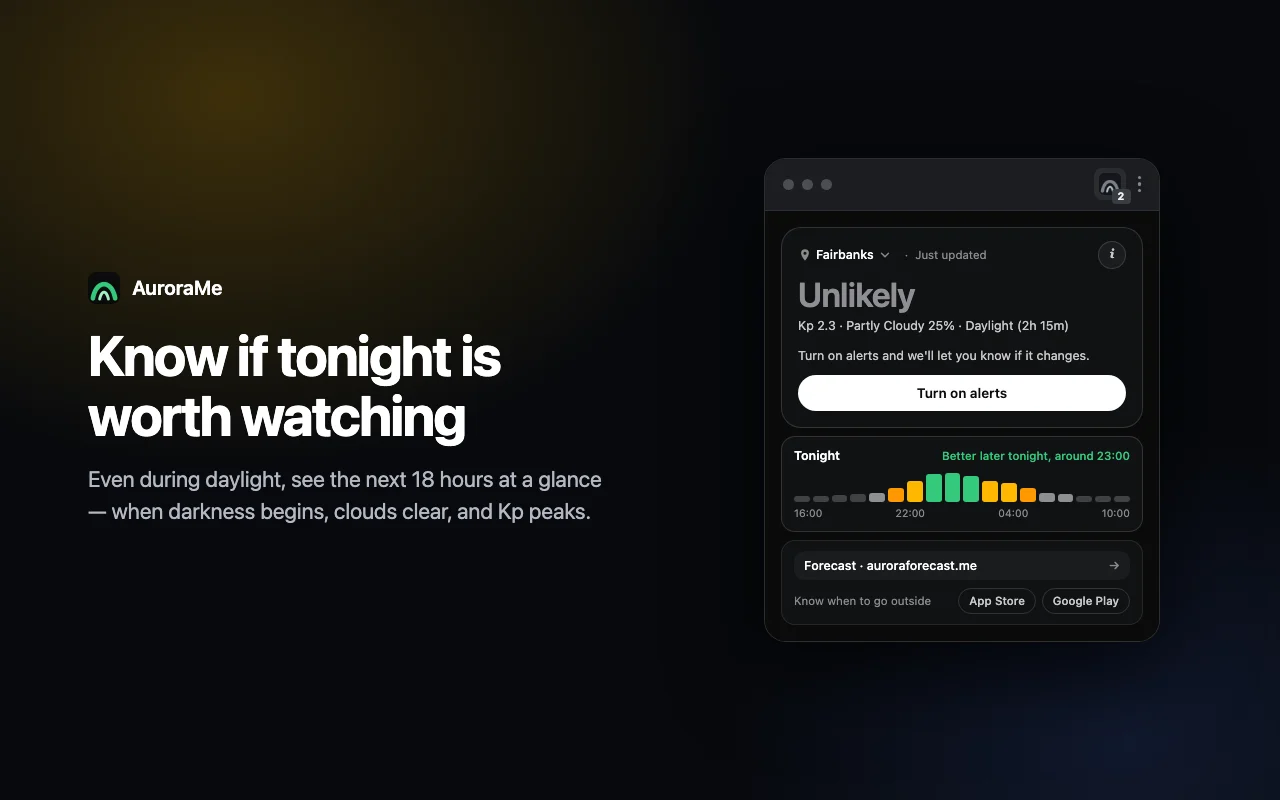
AuroraMe Chrome extension showing calm neutral daytime badge and 18-hour tonight outlook peaking at 23:00

18-Hour Tonight Outlook

Even during daylight, see when twilight ends, whether clouds clear, and what time aurora activity peaks tonight.
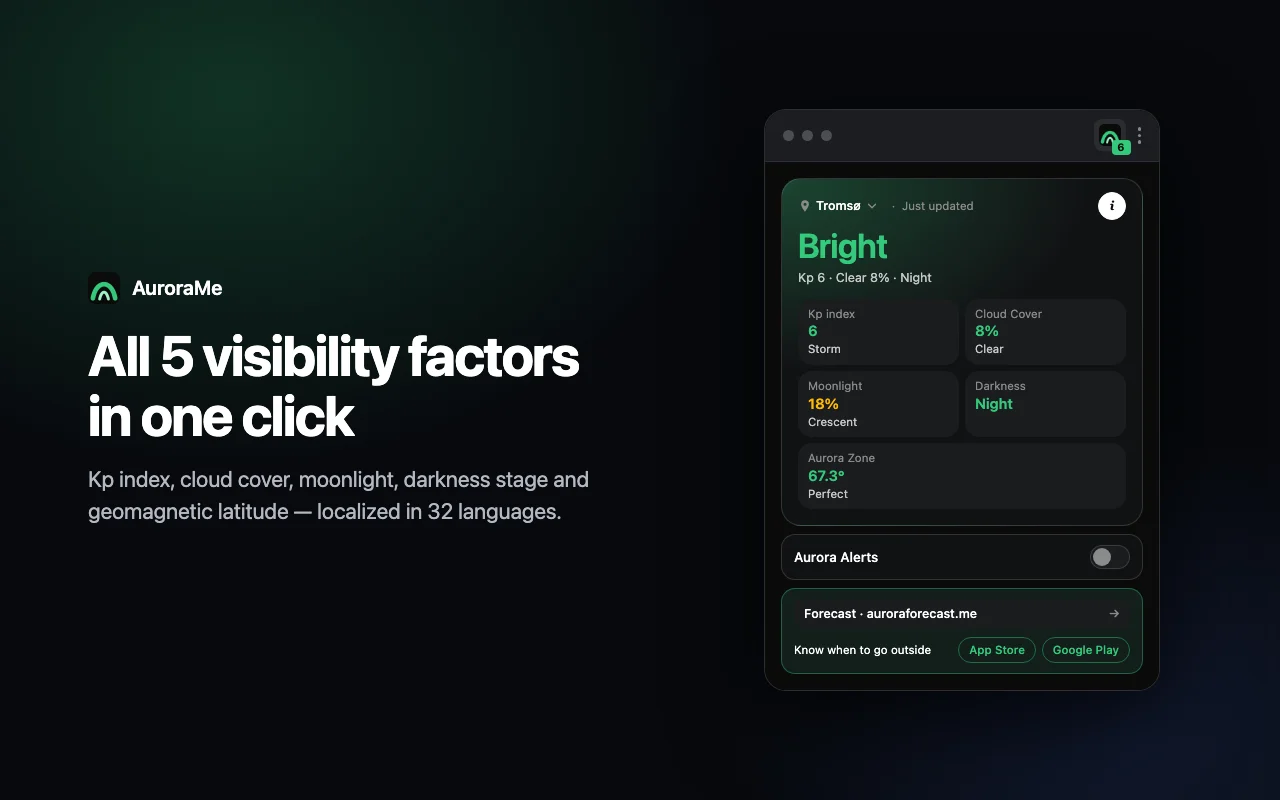
AuroraMe Chrome extension displaying all 5 aurora visibility factors: Kp index, Cloud Cover, Moonlight, Darkness, and Aurora Zone

5 Visibility Factors Behind Every Verdict

Kp geomagnetic index, cloud cover, moonlight illumination, darkness stage, and geomagnetic latitude — never a misleading Kp-only guess.
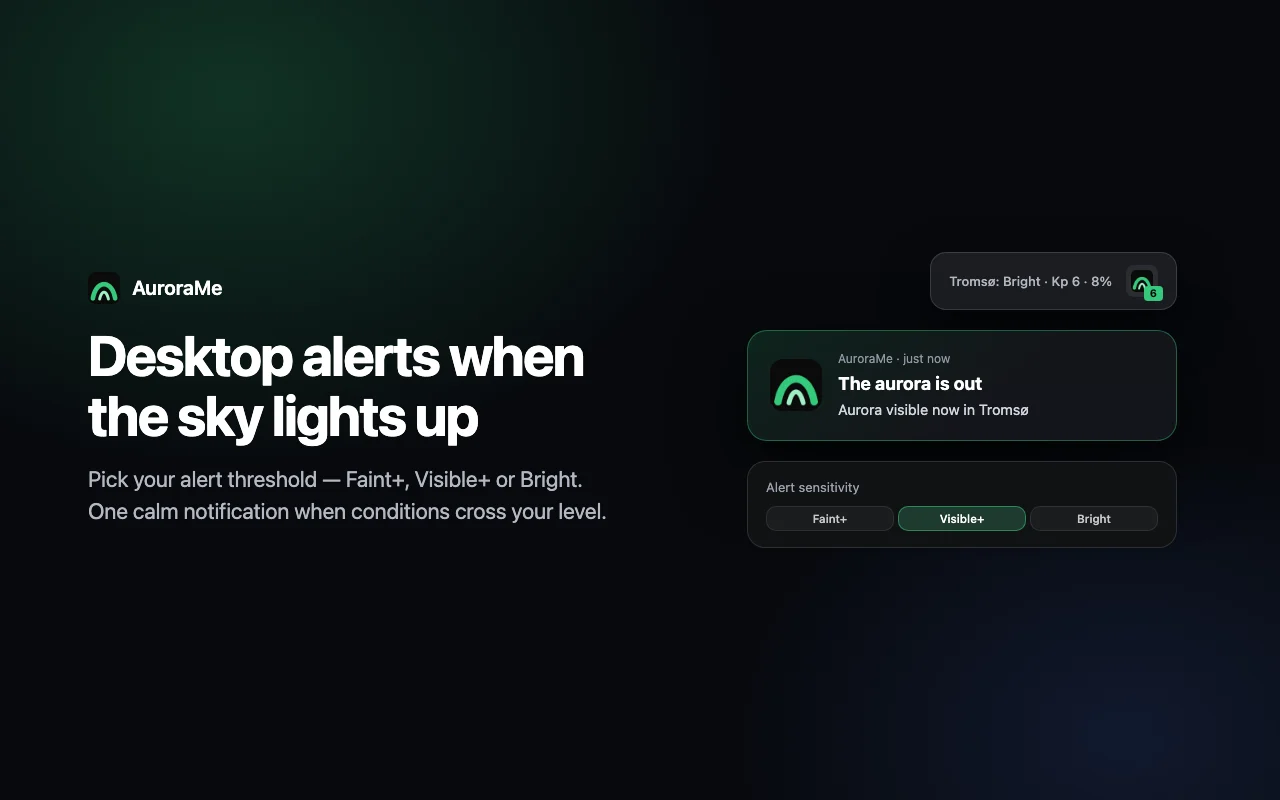
AuroraMe Chrome extension desktop notification toast and Faint+, Visible+, Bright threshold selector

Customizable Desktop Notifications

Choose your threshold (Faint+, Visible+, or Bright) and get one calm desktop alert when visibility crosses your level.

Privacy-First by Design

Minimal Chrome Manifest V3 permissions — nothing touching the websites you browse.

No Page Access

Zero content scripts and no tabs or browsing history permissions. The extension cannot read any page you visit.

No Account or Analytics SDK

Works immediately after install without sign-in, cookies, or third-party trackers. Only your selected city is sent to the AuroraMe forecast API.

Quiet Every 15 Minutes

Lightweight Manifest V3 background refresh keeps the toolbar badge and hover tooltip fresh without keeping tabs or pages open.

Frequently Asked Questions

Which browsers support the AuroraMe extension?
The AuroraMe extension installs directly from the Chrome Web Store and works on Google Chrome, Microsoft Edge, Brave, Arc, Opera, and Vivaldi on macOS, Windows, Linux, and ChromeOS.
Is the AuroraMe Chrome extension free?
Yes. The toolbar badge, live 5-factor verdict, 18-hour tonight outlook, global city search, and customizable desktop notifications are completely free with no account required.
Why does the extension show an 18-hour outlook during the day?
Most people use a desktop browser during daylight hours, when aurora is not visible right now. The 18-hour bar timeline shows when darkness starts, how cloud cover changes, and whether Kp peaks tonight so you can plan ahead.
What do the toolbar badge colors mean?
Green means Bright aurora, Amber means Visible, Orange means Faint, and calm neutral slate means skies are currently quiet (Unlikely). Grey with a dash means forecast data is temporarily unavailable. The icon only lights up green when aurora is active.
Does the extension track my browsing or require an account?
No. The extension has no content scripts, no cookies, no analytics SDK, and no access to tabs or websites you visit. It communicates only with the AuroraMe forecast API using the city you choose.
What does the AuroraMe mobile app add beyond the browser extension?
The mobile app on iOS and Android adds a 72-hour forecast, 6 interactive map overlays, 27-day Kp outlook, Sun Intelligence with 9 NOAA solar feeds, 11 years of history, unlimited saved locations, and 15 alert types in 37 languages.

Add AuroraMe to Chrome in One Click

Free on the Chrome Web Store. Also available on iOS and Android with 72-hour forecasts, 6 map overlays, and 15 alert types.

Download on the App Store
GET IT ON Google Play

1,133 five-star ratings on the App Store and Google Play

QR code to download AuroraMe app
App Store
QR code to download AuroraMe app
Google Play
Scan with phone to download